All articles
Blog
Best WhatsApp API for Bulk Messaging: What Businesses Should Compare
W
Wonestop Team
Oct 7, 2026 · 10 min read
Wonestop Team
Oct 7, 2026 · 10 min read
Sending a few WhatsApp messages manually is easy.
The real challenge starts when your business needs to send updates, offers, reminders, or announcements to hundreds or thousands of customers without making the process messy.
That is usually when businesses start looking for the best WhatsApp API for bulk messaging.
But choosing a platform only because it says “bulk WhatsApp messaging” is not enough.
A good platform should help you manage your audience, use approved templates where required, schedule campaigns, personalize messages, handle customer replies, and understand what you are paying for.
So instead of asking only:
“Which WhatsApp API can send the most messages?”
A better question is
“Which WhatsApp API gives my business the right tools to run bulk messaging properly?”
This guide will help you compare the things that actually matter.
There is no single WhatsApp API that is automatically best for every business.
The right option depends on how you plan to use WhatsApp.
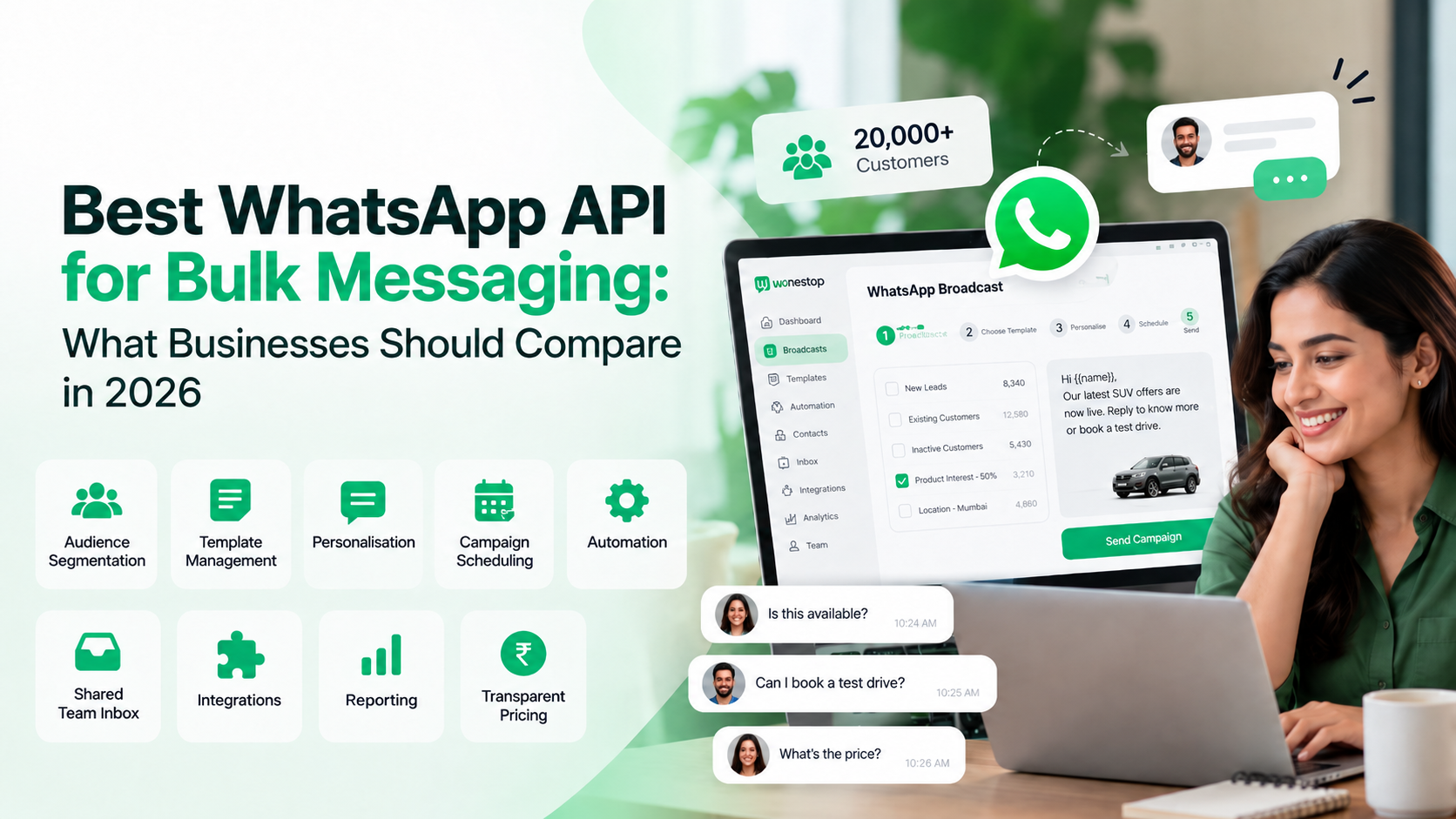
For most businesses, a good bulk messaging platform should offer:
The goal should not be to send the highest possible number of messages.
The goal should be to send relevant messages to the right customers and manage the conversations that follow.
Businesses often search for phrases like:
Technically, businesses use the WhatsApp Business Platform, which includes the Meta hosted Cloud API. Platforms built on top of it can provide tools for broadcasts, automation, inbox management, contacts, templates, and other workflows.
So when you compare WhatsApp API platforms, you are not necessarily comparing different versions of WhatsApp.
You are mostly comparing:
the software, tools, pricing, support and workflow built around the official WhatsApp Business Platform.
Wonestop, for example, states that it operates on Meta’s official Cloud API and combines WhatsApp messaging with broadcasts, automation, and team communication tools.
This should be the first question you ask.
A platform may offer attractive pricing or promise very high sending volumes, but you should confirm whether your business communication is running through the official WhatsApp Business Platform.
WhatsApp’s business messaging policy applies to the WhatsApp Business Platform, including Meta-hosted Cloud API. Meta also requires businesses using the platform to follow its messaging policies and applicable rules.
“Are my messages being sent through Meta’s official WhatsApp Business Platform?”
If the answer is unclear, investigate before committing.
For a long-term business setup, this matters more than flashy promises about unlimited messaging.
Bulk messaging should not mean sending the same message to every contact.
That may save time, but it can make your communication less relevant.
A better setup allows you to divide customers into useful groups.
For example:
Wonestop’s broadcast feature currently supports audience organization through contact lists, tags, and customer information.
Imagine an e-commerce business has 8,000 opted-in customers.
Instead of sending this to everyone:
Our weekend sale is live. Shop now.
The business could separate the audience.
Repeat customers
Our weekend sale is live. Take a look at the new arrivals added this week.
Inactive customers
Haven’t shopped with us in a while? Our weekend offers are now live.
Customers interested in a particular category
New offers are available in the category you were interested in.
The campaign is still being sent at scale.
But the communication is more relevant.
That is what a useful bulk messaging platform should help you do.
There is a big difference between sending 5,000 identical messages and sending 5,000 messages that contain relevant customer information.
Look for platforms that allow supported personalization fields.
Depending on your setup, that may include information such as:
Wonestop currently supports supported personalization fields within broadcast campaigns.
Generic:
Your appointment is tomorrow.
More useful:
Hi Rahul, Your appointment is scheduled for tomorrow at 4 PM.
The second message feels less like a mass campaign even though it can still be part of an automated workflow.
4. Understand How Message Templates Work
Templates are an important part of WhatsApp Business Platform messaging.
According to WhatsApp’s current business messaging policy, businesses initiating conversations through the platform must use approved message templates. Businesses can reply without a template during the applicable 24-hour window after a user’s latest message.
That means your chosen platform should make template management easy.
Look for tools that let your team:
This becomes especially important if you regularly send:
A good API platform should make templates feel like part of the workflow, not another complicated step.
Pricing can become confusing very quickly.
One platform may charge:
Another may follow a more usage-based model.
So instead of comparing only monthly plan prices, compare the total cost of running your WhatsApp communication.
Calculate:
Platform fee + message charges + applicable Meta charges + user fees + automation costs + other add-ons
Then compare the result based on your own expected usage.
For example:
This gives you a much clearer picture than comparing headline prices.
Wonestop’s current pricing page lists:
Because messaging costs can depend on destination, message type and Meta’s current pricing rules, businesses should always check the latest pricing before calculating campaign costs.
This part gets ignored surprisingly often.
Suppose you send a campaign to 10,000 customers.
Then 500 people reply with questions like,
Is this still available?
Can you send more details?
What is the price?
Can I book this today?
Your campaign worked.
But now your team needs to manage those conversations.
That is why the best WhatsApp API for bulk messaging should not only help you send messages.
It should also help you manage replies.
Look for features such as:
Wonestop’s current WhatsApp Business API offering includes multi-user access, automation and business integrations, while its automation system can route conversations and trigger follow-ups based on customer activity.
This is especially useful for sales and support teams.
Because sending the campaign is only half the job.
Bulk messaging does not mean messaging random numbers.
WhatsApp’s business policy makes businesses responsible for obtaining the necessary permissions and consent for messaging. WhatsApp also recommends setting clear expectations about what kinds of messages customers will receive and providing clear opt-out options.
This is important for both customer experience and account health.
Before sending any large campaign, ask:
A responsible messaging strategy is better than simply sending as many messages as possible.
Here is a simple framework businesses can use before every campaign.
Are you sending the campaign to people who are actually relevant to the offer or update?
Would the customer reasonably expect to receive this type of message from your business?
Are you using the correct WhatsApp template and messaging workflow where required?
Does the customer know what to do next?
For example:
Can your team deal with the responses the campaign generates?
This last step is easy to forget.
If 1,000 people reply and nobody can respond properly, the campaign is not really ready.
Use this table before choosing a provider.
| What to Compare | What to Look For |
| Official WhatsApp Platform | Uses the official WhatsApp Business Platform |
| Broadcast campaigns | Easy campaign creation and management |
| Segmentation | Lists, tags, or customer-based targeting |
| Personalization | Ability to use supported customer information |
| Templates | Easy management of approved templates |
| Scheduling | Ability to plan campaigns in advance |
| Team inbox | One place for handling incoming replies |
| Multiple users | Suitable for sales, support, and marketing teams |
| Automation | Follow-ups and workflow automation |
| Integrations | Ability to connect business tools |
| Analytics | Campaign and delivery reporting |
| Pricing | Clear total cost without confusing add-ons |
| Support | Help with setup and ongoing use |
You do not need every feature available in the market.
You need the features your team will actually use.
Suppose two platforms look similar.
Which one is better?
There is no automatic answer.
If you only send occasional notifications, Platform A may be enough.
If your sales, support, and marketing teams all use WhatsApp every day, Platform B may provide more value.
This is why “cheapest WhatsApp API” and “best WhatsApp API” are not always the same thing.
These two things are often treated as the same.
They are not.
Usually means:
Upload contacts → write message → send
Looks more like:
Choose opted-in audience → segment contacts → select approved template → personalise → schedule → send → manage replies → review results
That second workflow is what growing businesses should be looking for.
The sending part is easy.
Managing the full customer journey is where the platform makes a difference.
Wonestop is built on Meta’s official Cloud API and provides WhatsApp communication tools for businesses.
Its current broadcast tools include:
Wonestop also includes automation capabilities for common workflows such as lead follow-ups, customer updates, appointment communication, and conversation routing.
For businesses comparing WhatsApp API platforms, these are the kinds of practical features worth checking.
The right choice should ultimately depend on your own message volume, team size, workflows, and budget.
The best WhatsApp API for bulk messaging is not simply the platform that lets you send the highest number of messages.
A better platform helps you answer four questions:
Who should receive this message?
What should they receive?
What happens when they reply?
What will the entire process cost us?
Compare official WhatsApp Business Platform access, audience segmentation, templates, personalisation, automation, team inbox features, integrations, pricing and support.
If those areas fit your business properly, you will have a much stronger setup than simply choosing a tool because it promises “unlimited bulk messages.”
There is no single best option for every business. Look for a platform using the official WhatsApp Business Platform that provides the audience management, templates, automation, team access, reporting, and pricing model your business needs.
Book a quick demo and we'll get your business live on the official WhatsApp Business API — fast.