All articles
Blog
WhatsApp Business API vs WhatsApp Business App: Which One Should Your Business Choose?
W
Wonestop Team
Jul 10, 2026 · 6 min read
Wonestop Team
Jul 10, 2026 · 6 min read
If your business has outgrown the free WhatsApp Business App, you’re probably dealing with slower response times, increasing customer inquiries, and difficulty managing conversations across your team. As your business grows, choosing the right WhatsApp solution becomes essential for delivering faster support and a better customer experience.
While both the WhatsApp Business App and the WhatsApp Business API (part of the WhatsApp Business Platform) help businesses communicate with customers, they are designed for different stages of business growth.
In this guide, we’ll compare the WhatsApp Business API vs WhatsApp Business App, explain their key differences, and help you determine which solution best fits your business needs.
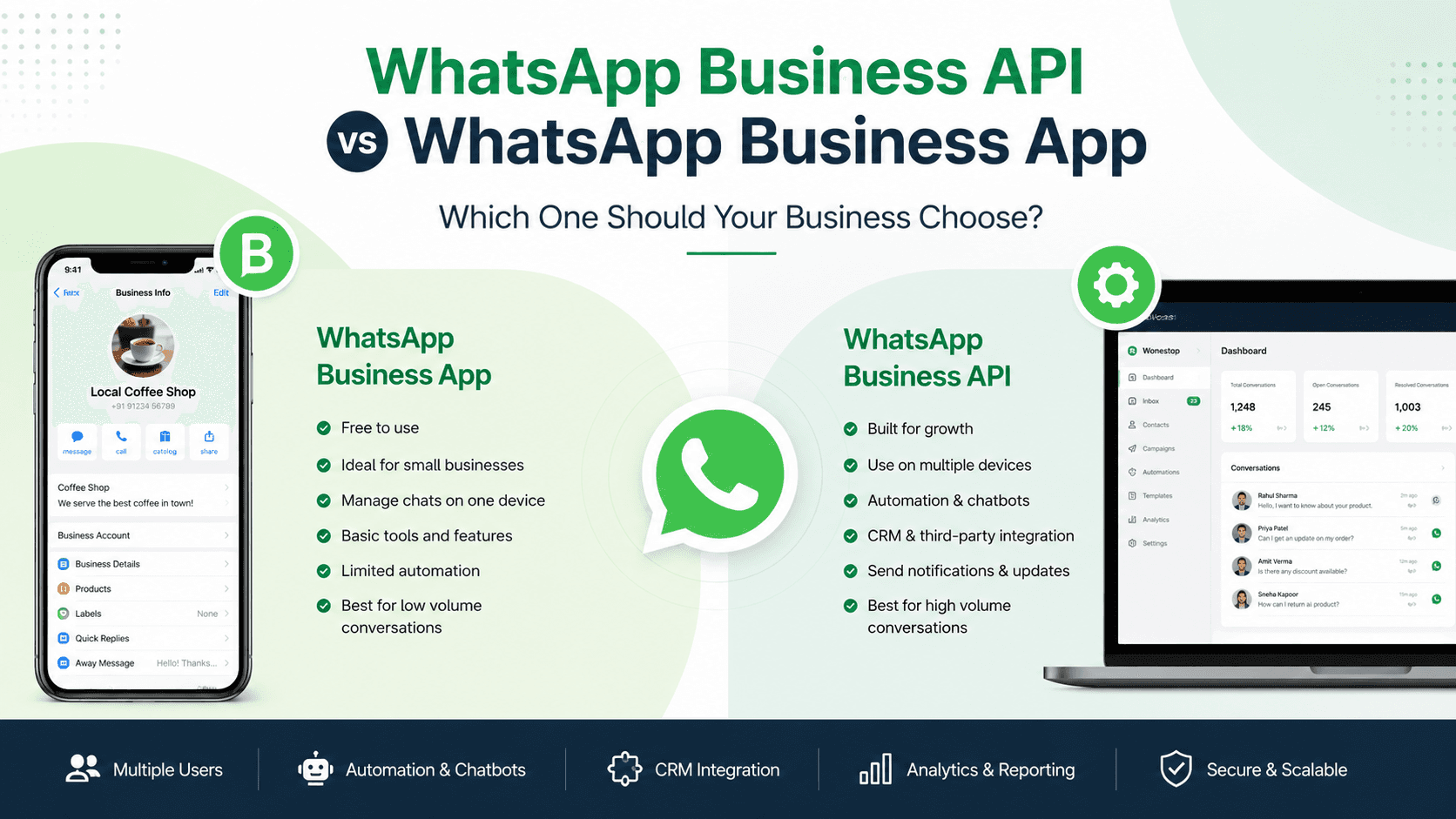
The WhatsApp Business App is ideal for small businesses that manage customer conversations manually. The WhatsApp Business API is designed for growing businesses that need automation, multiple team members, CRM integration, chatbots, and scalable customer communication.
The WhatsApp Business App is a free application developed by Meta for small businesses. It allows business owners to create a professional business profile and communicate with customers using a dedicated business number.
The app works well for businesses that receive a limited number of customer inquiries and can manage conversations manually.
However, once customer conversations begin increasing, businesses often need more advanced capabilities than the app can provide.
The WhatsApp Business API, now part of the WhatsApp Business Platform, is built for businesses that need to manage customer communication at scale.
Unlike the Business App, the API is not a standalone application. Instead, it integrates with CRM systems, helpdesk software, customer support platforms, chatbots, and other business applications.
Businesses can integrate directly using Meta’s Cloud API or work with a Business Solution Provider (BSP) like Wonestop for implementation, integrations, and ongoing support.
| Feature | WhatsApp Business App | WhatsApp Business API |
| Best For | Small businesses | Growing & enterprise businesses |
| Cost | Free | Usage-based pricing and platform costs may apply |
| Team Access | Single user/small team | Multiple agents |
| Automation | Basic | Advanced |
| CRM Integration | No | Yes |
| Chatbot Support | No | Yes |
| Customer Support | Manual | Scalable |
| Order Notifications | Limited | Yes |
| Analytics | Basic | Advanced through integrated platforms |
| Scalability | Limited | High |
The primary difference is scalability. While the Business App focuses on simple communication, the WhatsApp Business API helps businesses automate conversations and manage large volumes of customer interactions efficiently.
The WhatsApp Business App is suitable if you:
For startups and small businesses, the app offers a simple and cost-effective way to engage with customers.
As your business grows, managing customer communication manually becomes more challenging.
The WhatsApp Business API is a better choice if you need to:
Businesses in e-commerce, healthcare, education, finance, travel, and real estate commonly adopt the WhatsApp Business API to streamline customer communication.
Imagine an online store receiving over 300 WhatsApp inquiries every day about product availability, shipping updates, and order status.
Managing all these conversations from a single phone quickly becomes inefficient.
With the WhatsApp Business API, multiple support agents can respond simultaneously, automated workflows can answer common questions instantly, and customer conversations can sync with a CRM. This reduces response times, improves team productivity, and creates a better customer experience.
Many businesses choose the wrong solution because they misunderstand the differences.
Some common mistakes include:
Understanding your communication needs before selecting a solution can help avoid unnecessary challenges later.
If your goal is to generate and nurture leads, the WhatsApp Business API offers greater flexibility.
It enables businesses to:
These capabilities help businesses create a more efficient sales process while delivering a better customer experience.
Implementing the WhatsApp Business API involves more than simply activating a business number. A successful implementation requires planning, integration, automation, and ongoing optimization.
Wonestop helps businesses:
Whether you’re a growing startup or an established enterprise, the right implementation can improve customer engagement and operational efficiency.
Choosing between the WhatsApp Business API and the WhatsApp Business App depends on your business size, communication needs, and future growth plans.
If you’re a small business handling a limited number of customer conversations, the WhatsApp Business App provides a simple and effective solution.
However, if your business requires automation, multiple team members, CRM integration, AI-powered customer support, and scalable communication, the WhatsApp Business API is a smarter long-term investment.
By selecting the right solution today, you can improve customer satisfaction, streamline business operations, and build stronger customer relationships through one of the world’s most widely used messaging platforms.
The best option depends on your business requirements. The Business App is suitable for small businesses with limited conversations, while the WhatsApp Business API is designed for businesses that require automation, CRM integration, and scalable communication.
Yes. Many businesses start with the WhatsApp Business App and later transition to the WhatsApp Business API as their customer communication needs grow.
The WhatsApp Business App is free to use. The WhatsApp Business API may involve Meta messaging charges along with fees charged by your chosen platform or Business Solution Provider.
Yes. With the WhatsApp Business API, multiple agents can manage conversations from the same business number through a compatible communication platform.
Businesses with growing customer inquiries, multiple support agents, automation requirements, or CRM integration needs can benefit from the WhatsApp Business API.
Book a quick demo and we'll get your business live on the official WhatsApp Business API — fast.