All articles
Blog
WhatsApp Chatbot for Ecommerce: Automate Customer Questions and Sales
W
Wonestop Team
Oct 16, 2026 · 13 min read
Wonestop Team
Oct 16, 2026 · 13 min read
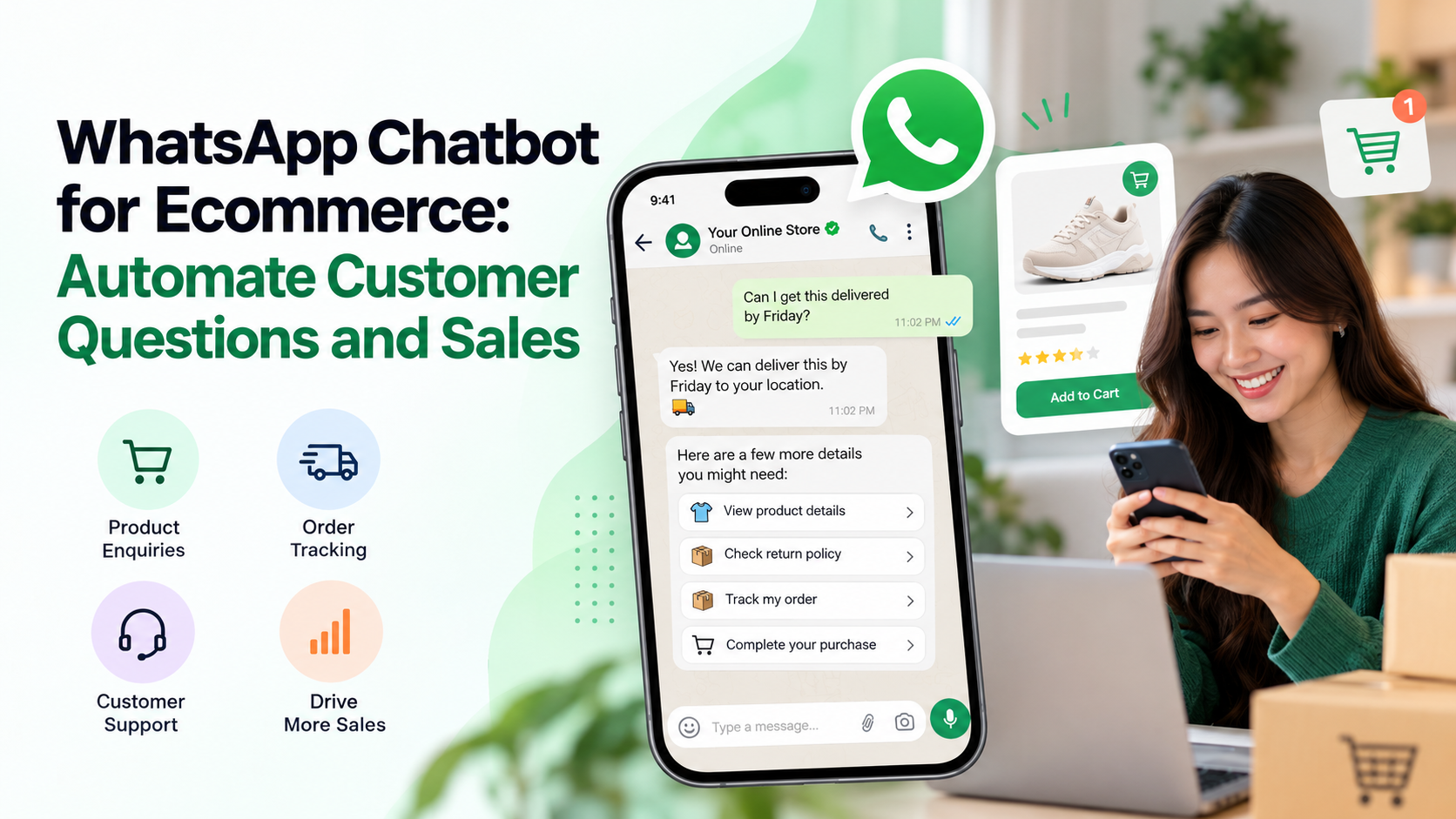
Imagine a customer visits your online store at 11 PM.
They find a product they like, add it to their cart, and have one simple question:
“Can I get this delivered by Friday?”
Your support team is offline. Nobody replies. The customer leaves.
Now imagine the same situation with a WhatsApp chatbot.
The customer asks about delivery, gets an immediate response based on your store’s delivery information, checks the return policy, and receives a link to complete their purchase.
No waiting. No unnecessary back-and-forth.
That’s what a WhatsApp chatbot for ecommerce can help you achieve.
For online stores, the challenge isn’t always getting more visitors. Sometimes, it’s answering questions at the right moment, helping customers make decisions, and making sure interested buyers don’t leave because they couldn’t get help.
In this guide, we’ll explain how an ecommerce WhatsApp chatbot works, which customer conversations you should automate, and how to use it to support sales without annoying your customers.
A WhatsApp chatbot for ecommerce is an automated messaging assistant that helps online shoppers get product information, answers to common questions, order updates, and customer support through WhatsApp.
Instead of having a support agent manually answer every enquiry, the chatbot handles common conversations using predefined workflows or AI-powered responses.
For example, a customer might message your store:
A properly configured chatbot can answer these questions using the information and integrations available to it.
The goal isn’t to replace your sales team. It’s to handle repetitive conversations and connect customers with a real person when needed.
Businesses can build these experiences using the official WhatsApp Business Platform and chatbot tools such as Wonestop’s WhatsApp Chatbot.
Think about what happens between someone visiting your store and actually placing an order.
They compare products. Check the price. Look for reviews. Read the return policy.
And sometimes, they get stuck on a small question.
That question might be the only thing stopping them from buying.
A chatbot helps remove some of that friction.
Not everyone shops during business hours.
Some customers browse products late at night. Others shop while commuting or during a lunch break.
A WhatsApp chatbot can respond to common enquiries around the clock, even when your team isn’t available.
For example:
Customer: Do you deliver to Pune?
Chatbot: We can help you check delivery availability. Please share your PIN code.
If the bot is connected to an appropriate delivery-check system, it can return an accurate answer. Otherwise, it can collect the details for your team.
This is much better than automatically promising delivery without checking.
If your store receives dozens of messages asking about delivery charges, return policies, or payment methods, your team spends a lot of time repeating the same answers.
A chatbot can handle these routine enquiries so support agents can focus on damaged products, refund disputes, delivery problems, and customers who need personal assistance.
A customer asking about a product is already showing interest.
Instead of giving them a generic welcome message, a chatbot can guide them toward the information they need.
For example, a clothing store could ask about size, style, or budget before suggesting relevant products.
That doesn’t guarantee a sale, but it makes the shopping experience easier and helps customers move closer to a decision.
When your chatbot collects relevant details before transferring a conversation, the agent can understand what the customer needs.
For example, the bot can collect an order number, identify the issue, and then route the conversation to support.
The customer doesn’t have to explain everything again from the beginning.
Not every message needs automation. The best results come from automating conversations that genuinely help customers.
Imagine running an online footwear store.
A customer messages:
“I’m looking for comfortable shoes for everyday office use.”
Instead of sending your entire product catalogue, the chatbot can ask a few useful questions about size, budget, and preferred style.
Example: Product discovery chatbot
Illustrative ecommerce conversation
Hi! I’m looking for everyday office shoes.
Sure! What’s your budget?
Under ₹1,500
₹1,500–₹3,000
Above ₹3,000
₹1,500–₹3,000
Got it. Do you prefer formal shoes or casual sneakers?
Once it understands the customer’s preferences, the chatbot can show suitable options or share product links.
Accurate recommendations require access to current product information. A predefined chatbot can guide shoppers through categories, while an AI chatbot with the right product data can handle more flexible questions.
Some shoppers don’t need product recommendations.
They already know what they want. They just need one or two answers.
Common questions include:
A chatbot can answer questions based on your store’s verified product details and policies.
For stock availability, delivery estimates, or personalised pricing, connect the chatbot to the relevant store data rather than relying on fixed answers.
A quick, accurate answer can be more useful than an automated discount offer.
A customer adds products to their cart but doesn’t complete the purchase.
There could be several reasons.
Maybe the delivery charges were higher than expected. Maybe they got distracted. Or maybe they wanted more information about the product.
An automated WhatsApp reminder can help bring interested shoppers back, provided the customer has given the required permission and the message follows WhatsApp’s template rules.
For example:
“Hi Riya, you left a few items in your cart. Here’s your checkout link if you’d like to finish your order.”
If the customer replies with a question, a chatbot can help them with the next step.
Just remember that an abandoned-cart reminder and a chatbot conversation are not exactly the same thing. The reminder is an outbound automation, while the chatbot handles the interaction that follows.
For a detailed setup, read our guide to WhatsApp automation for ecommerce.
“Where is my order?”
For many online stores, this is one of the most common customer support enquiries.
Instead of asking customers to contact support every time, a WhatsApp chatbot can guide them through an order-status check.
Here’s how the workflow could look:
Customer selects “Track My Order”
Starts a support conversation
Chatbot requests order details
Asks for an order ID or uses a verified customer reference
Store integration checks the order
Retrieves the latest available status
Customer receives the status or tracking link
With human support available if something goes wrong
This requires the chatbot to be connected to your store or order-management system. Without that integration, the bot can collect the enquiry but shouldn’t invent an order status.
Returns are part of ecommerce.
What matters is how easily customers can get help when something goes wrong.
A chatbot can explain return policies, collect order information, and guide customers through the first steps of an exchange or refund request.
For example:
Customer: I received the wrong size. Can I exchange it?
Chatbot: Sorry about that. Please share your order number so we can help you with the exchange.
Once the details are collected, the conversation can be transferred to the support team or connected to a returns-management workflow.
The important part is making it easy to reach a human, especially when a customer is already unhappy.
Customers sometimes leave at checkout because they aren’t clear about payment options, delivery timelines, or shipping charges.
A chatbot can explain available payment methods, direct customers to a secure checkout page, and answer questions about your store’s payment process.
For example, when a buyer asks whether cash on delivery is available, a chatbot connected to the appropriate checkout rules can help verify eligibility.
Avoid asking customers to share card details, OTPs, or other sensitive payment information in chat.
A chatbot shouldn’t disappear after the first purchase.
It can also help customers with product care, reordering, feedback, and questions about previous purchases.
Think about a skincare store.
A returning customer might message:
“Can I order the same face wash again?”
If your chatbot can securely identify the customer’s previous purchase, it can help them find the product and direct them to checkout.
Relevant follow-ups can support repeat sales, but businesses should distinguish between a customer-requested service conversation and a promotional message that requires appropriate opt-in and an approved template.
Both can help online stores, but they work differently.
| Feature | Rule-Based WhatsApp Chatbot | AI WhatsApp Chatbot |
| Customer replies | Predefined responses and flows | Can understand flexible questions |
| Product discovery | Guided choices and menus | More conversational recommendations |
| FAQs | Answers configured questions | Can answer from a connected knowledge base |
| Setup | Usually simpler | Requires accurate business data and testing |
| Best for | Repetitive, predictable requests | Varied questions and product enquiries |
| Human support | Available when configured | Available when configured |
For a small ecommerce store receiving mostly delivery, payment, and return-policy questions, a rule-based chatbot may be enough.
For a store with hundreds of products and more varied customer questions, an AI-powered chatbot may be more useful.
But AI doesn’t automatically mean better.
A chatbot that gives correct information and knows when to transfer a conversation is more useful than one that gives impressive-sounding but inaccurate answers.
Explore Wonestop’s AI WhatsApp Chatbot to understand how AI-powered customer conversations can work for your store.
You don’t need to automate everything on the first day.
Start with the conversations your customers already have.
Go through your recent WhatsApp messages, support tickets, and product enquiries.
Look for recurring questions.
For example, if customers frequently ask about COD availability, delivery timelines, and return policies, those are good starting points.
You’ll need a chatbot solution that supports the features your store requires.
Before choosing, check whether the platform offers chatbot workflows, ecommerce integrations, customer support handover, and suitable pricing.
Wonestop offers a no-code WhatsApp chatbot builder and AI chatbot options using the official WhatsApp Business Platform.
Your chatbot becomes more useful when it can access relevant business information.
For example, connecting Shopify or WooCommerce can help link store events with WhatsApp workflows.
Wonestop supports Shopify and WooCommerce integrations, as well as APIs and webhooks for custom business systems.
The exact information a chatbot can retrieve depends on the integration and workflow you’ve configured.
Start with four or five options.
For example:
Example: Ecommerce chatbot menu
Hi! Welcome to our store 👋
What can we help you with today?
Shop Products
Track My Order
Returns & Exchanges
Talk to Support
Example chatbot responseGreat! Which product category are you interested in?
Try selecting an option to see how a simple decision-based chatbot responds.
Make sure customers can easily choose to speak with your team.
Your chatbot should know your current shipping rules, return policies, product details, and support process.
For AI chatbots, keep the connected knowledge base up to date.
Incorrect delivery promises or outdated pricing can create more support problems than automation solves.
Try conversations that real customers might have.
What happens if somebody enters an invalid order number? Asks a question outside the menu? Requests a refund? Wants to speak with a human?
Fix the confusing parts before making the chatbot available to everyone.
Don’t judge your chatbot only by how many messages it sends.
Track:
Review the conversations that customers abandon or repeat. They often reveal where your chatbot needs improvement.
Before using WhatsApp automation, there are a few important rules to understand.
According to WhatsApp’s official Business Messaging Policy, businesses using the WhatsApp Business Platform must follow requirements for messaging, including approved templates, customer service windows, and escalation options.
The 24-hour customer service window: When a customer sends your business a message, a 24-hour window opens or resets. During this window, you can send permitted non-template replies.
Messaging outside that window: Business-initiated messages outside the window require approved WhatsApp message templates. Businesses must also follow applicable opt-in requirements.
Human support: Automated responses must have clear ways for customers to access human assistance or another direct escalation path.
Messaging costs: WhatsApp Business Platform messaging can involve charges depending on message type, country, and current Meta pricing rules. A chatbot is not automatically free to operate.
These rules matter particularly when combining chatbots with marketing campaigns or abandoned-cart reminders.
Managing an online store already involves plenty of moving parts.
Your team handles customer questions, order updates, returns, and product enquiries while trying to bring in more sales.
Adding another complicated tool isn’t the goal.
With Wonestop, ecommerce businesses can manage automated customer conversations through the official WhatsApp Business Platform.
Depending on your setup, Wonestop offers:
These capabilities are documented across Wonestop’s chatbot, automation, and integration pages.
The right setup depends on what your store wants to automate and which systems need to exchange information.
Not every customer is ready to buy the moment they visit your website.
Some need product information. Some want delivery confirmation. Others simply need to know whether they can return an item.
When those questions go unanswered, you risk losing interested shoppers.
A WhatsApp chatbot for ecommerce helps your store answer common questions, guide customers through their purchase decisions, and connect them with support when needed.
Start with the questions your customers ask most often. Automate those conversations. Keep the answers accurate. And make sure a real person is available when the situation calls for one.
Want to automate customer questions and build a better WhatsApp shopping experience?
Explore Wonestop’s WhatsApp Chatbot or book a demo to discuss chatbot workflows for your e-commerce store.
Yes, a chatbot can support sales by answering product questions, helping customers find suitable items, and directing them to checkout. Actual results depend on chatbot quality, product demand, and the customer experience.
Book a quick demo and we'll get your business live on the official WhatsApp Business API — fast.