All articles
Blog
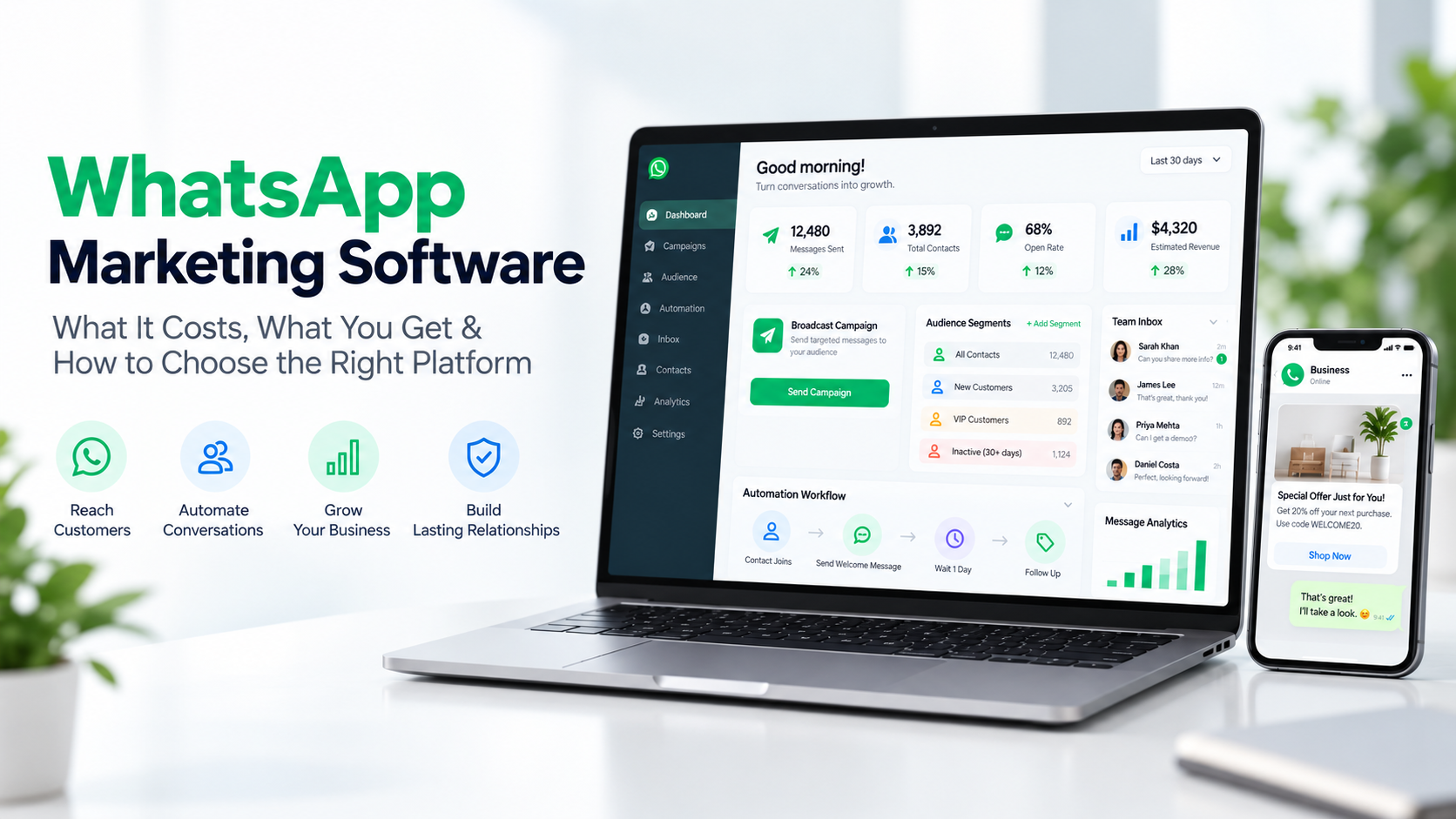
WhatsApp Marketing Software: What It Costs, What You Get & How to Choose the Right Platform
W
Wonestop Team
Sep 18, 2026 · 8 min read
Wonestop Team
Sep 18, 2026 · 8 min read
WhatsApp is already one of the most used communication channels for businesses. But once customer enquiries increase, sending messages manually, following up with leads, managing replies and handling multiple team members can become difficult.
That is where WhatsApp marketing software can help.
A good WhatsApp marketing platform can help businesses send campaigns, manage customer conversations, automate follow-ups, organize contacts, and handle team communication from one place.
But every platform works differently.
Some charge monthly fees. Some charge per user. Some add extra costs on top of messaging charges. Others may include features that your business does not actually need.
So before choosing any WhatsApp marketing software, it is important to understand what it does, how much it can cost, and which features are actually useful for your business.
WhatsApp marketing software is a business communication platform that helps companies manage marketing and customer conversations on WhatsApp at scale.
Depending on the platform, businesses may be able to:
In simple terms, it helps businesses manage WhatsApp in a more organized way instead of handling everything manually.
Not every business needs a full WhatsApp marketing platform.
But it can become useful when your team starts facing problems like:
This is especially useful for ecommerce brands, service businesses, sales teams, customer support teams and businesses that regularly communicate with customers through WhatsApp.
There is no single fixed price for WhatsApp marketing software.
The total cost can depend on several factors.
Some providers charge a monthly or yearly subscription for using their software.
The price can depend on the number of users, features or message volume.
Meta applies messaging charges based on factors such as the message type and the recipient’s market.
These charges can vary depending on where the customer is located.
Some providers may add their own markup or additional fee on top of Meta’s messaging charges.
Some platforms charge separately for every user or agent added to the account.
This can increase the total cost for businesses with sales or support teams.
Features such as automation, advanced chatbots, integrations or additional tools may be included in the main plan or charged separately depending on the provider.
This is why businesses should not compare platforms only by the starting price.
They should compare the total cost of using the platform.
Before choosing a platform, check the following:
| Feature | What to Check |
| Platform Fee | Monthly, annual or pay-as-you-go |
| Messaging Charges | Meta rate or provider markup |
| User Fees | Per user or unlimited team access |
| Broadcasts | Campaign scheduling and segmentation |
| Automation | Trigger-based follow-ups and workflows |
| Shared Inbox | Multi-user conversation management |
| Chatbot | Rule-based or AI chatbot support |
| Contact Management | Tags, lists and custom fields |
| Integrations | Ecommerce, API, webhook or CRM support |
| Reporting | Campaign and conversation tracking |
This simple comparison can help you avoid paying for features you do not need.
WhatsApp broadcasts allow businesses to communicate with multiple customers without sending every message manually.
Businesses may use broadcasts for:
The important part is not just sending more messages.
The platform should also help businesses organize audiences and send relevant communication to the right contacts.
Wonestop supports WhatsApp broadcast campaigns, scheduling, customer groups, tags and supported personalization options.
Sending the same message to every contact is rarely the best approach.
Audience segmentation helps businesses divide customers into different groups based on available information.
For example:
This makes campaigns more relevant and easier to manage.
Wonestop supports contact organization using lists, tags and custom fields.
Automation can reduce repetitive manual work.
A business can use WhatsApp marketing automation for situations such as:
Instead of asking team members to remember every follow-up, workflows can help manage repetitive actions automatically.
Wonestop supports trigger-based automation for multiple customer and campaign events.
Marketing does not end when someone replies.
A reply can become:
A WhatsApp shared inbox allows multiple team members to manage customer conversations from one workspace.
This is useful when sales, support and marketing teams all need access to customer chats.
Wonestop provides a centralized shared team inbox for customer conversations.
Many businesses receive the same questions again and again.
For example:
“Is this available?”
“What is the price?”
“How can I book?”
“Where is my order?”
A WhatsApp chatbot can help handle repetitive questions and basic customer interactions.
More advanced AI chatbots can also support flexible conversations depending on the setup and business information provided.
Wonestop provides WhatsApp chatbot and AI chatbot options for business use cases such as support and lead handling.
Good WhatsApp marketing is not just about sending messages.
Businesses also need to organize customer information.
A contact management system can help teams group, tag and manage customers more easily.
This can make it easier to build relevant campaigns and follow up with the right people.
Your WhatsApp platform should work with the rest of your business setup where possible.
For ecommerce businesses, this may include stores like Shopify or WooCommerce.
For other businesses, API or webhook access may be useful for connecting internal systems or workflows.
Wonestop currently supports Shopify, WooCommerce, incoming webhooks and developer API integrations.
Before selecting a platform, ask a few practical questions.
If your business wants scalable messaging, automation or integrations, check whether the platform works with the official WhatsApp Business Platform.
Using unofficial tools can create unnecessary risks for business communication.
Do not choose a platform only because it has more features.
Ask what your business actually needs.
Do you need:
Choose based on your real workflow.
Before signing up, check:
Clear pricing makes it easier to estimate your real monthly cost.
A platform should not only work for your current message volume.
Think about what happens when:
Choosing a platform that can support future growth can save you from switching tools later.
Wonestop brings multiple WhatsApp business communication tools together in one platform.
Businesses can use Wonestop for:
Wonestop currently follows a pay-as-you-go pricing model instead of a monthly platform subscription.
It also states that there is no additional markup on applicable Meta messaging rates and offers unlimited team access without per-agent platform fees.
International messaging costs can vary based on Meta’s regional pricing.
A common mistake is choosing software only based on how many WhatsApp messages it can send.
But sending messages is only one part of the process.
The more important questions are:
Can your team manage customer replies properly?
Can you organize contacts?
Can you automate repetitive follow-ups?
Can multiple team members work together?
Can you connect WhatsApp with other business systems?
Can you keep customer communication organized as your business grows?
The right WhatsApp marketing software should help with the complete customer communication process, not just message sending.
Choosing WhatsApp marketing software should not start with:
“Which platform has the most features?”
A better question is:
“Which platform helps us manage our customer communication more easily?”
If your business only receives a few WhatsApp messages, a complex tool may not be necessary.
But if you regularly manage campaigns, customer enquiries, lead follow-ups, support conversations and multiple team members, a dedicated WhatsApp marketing platform can make the process much easier.
Wonestop combines WhatsApp marketing, broadcasts, automation, shared inbox, chatbots, contact management, and integrations in one platform with a pay-as-you-go pricing approach.
If you are comparing WhatsApp marketing tools, focus on the features you will actually use, the total cost, and how easily the platform fits into your current workflow.
Want to explore WhatsApp marketing, automation and customer communication in one place? Check Wonestop and see how it can fit your business needs.
Book a quick demo and we'll get your business live on the official WhatsApp Business API — fast.