All articles
Blog
WhatsApp Message Templates: A Complete Guide to Types, Approval Process, and Examples
W
Wonestop Team
Jul 14, 2026 · 5 min read
Wonestop Team
Jul 14, 2026 · 5 min read
WhatsApp has become one of the most trusted communication channels for businesses. Whether you’re sending order confirmations, appointment reminders, OTPs, payment notifications, or promotional offers, the WhatsApp Business API enables businesses to communicate quickly and efficiently with customers.
However, businesses cannot initiate conversations or send messages outside the 24-hour customer service window without using approved WhatsApp message templates. These templates ensure every business message follows Meta’s messaging policies while delivering a secure and consistent customer experience.
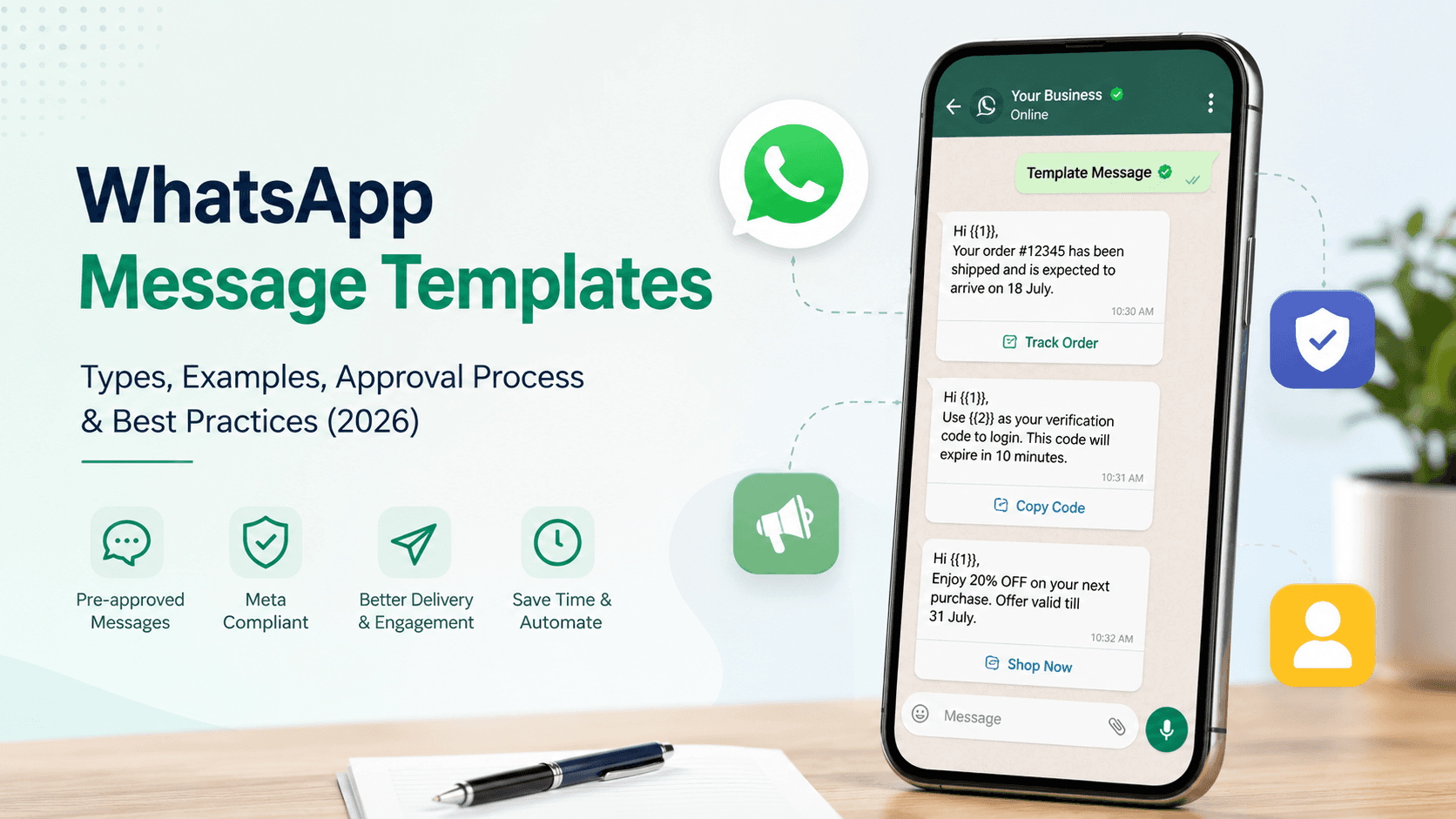
WhatsApp message templates are pre-approved message formats submitted to Meta before businesses can use them through the WhatsApp Business API.
Unlike regular messages sent during an active customer conversation, template messages are required when a business wants to start a conversation or communicate after the customer service window has expired.
These templates help businesses:
Meta currently supports three categories of message templates.
Marketing templates are used to promote products, services, special offers, or events to customers who have opted in to receive promotional communication.
Common use cases
Example
Hi Sarah, our weekend sale is now live! Enjoy up to 25% OFF on selected products. Shop now using the button below.
Utility templates provide important information related to an existing customer interaction, purchase, or service.
Common use cases
Example
Your order #45891 has been shipped and is expected to arrive on 18 July. Track your shipment using the button below.
Authentication templates help businesses verify customer identities securely.
Common use cases
Example
Your verification code is 384921. It expires in 10 minutes. Please do not share it with anyone.
Creating a WhatsApp message template is simple when you follow Meta’s guidelines.
Log in to your WhatsApp Business platform and open the Message Templates section.
Select the category that best matches your message:
Keep the content clear and relevant. You can personalize messages using variables like:
Depending on your use case, you can include:
Once completed, submit the template for Meta’s review. After approval, it’s ready to use.
Before a template becomes available, Meta reviews it to ensure it complies with its messaging policies.
The approval process generally includes:
Approval times vary depending on the template content and Meta’s review process.
Most template rejections are preventable. Common reasons include:
Review your templates carefully before submission to improve approval rates.
Follow these best practices to improve approval rates and customer engagement.
Hi {{1}},
Welcome! We’re excited to have you with us.
Hello {{1}},
This is a reminder that your appointment is scheduled for {{2}}.
Hi {{1}},
Your order {{2}} has been shipped.
Track your delivery using the button below.
Hello {{1}},
Your payment for the invoice {{2}} is due on {{3}}.
Hi {{1}},
Enjoy an exclusive offer on your next purchase. Shop now using the button below.
Businesses across industries rely on WhatsApp message templates to automate communication and improve customer engagement.
Managing WhatsApp message templates becomes easier with the right platform. Wonestop’s Official WhatsApp Business API solution helps businesses create, submit, manage, and monitor approved message templates from a single dashboard. Whether you’re sending order updates, OTPs, appointment reminders, or marketing campaigns, Wonestop simplifies customer communication while helping your business stay aligned with Meta’s latest messaging guidelines.
WhatsApp message templates are an essential part of communicating through the WhatsApp Business API. They help businesses send secure, personalized, and policy-compliant messages while improving customer engagement and operational efficiency.
By understanding the different template categories, following Meta’s approval guidelines, and creating customer-focused messages, businesses can build stronger relationships and automate communication with confidence. If you’re looking to streamline customer messaging at scale, Wonestop provides a reliable WhatsApp Business API platform to help you manage templates and deliver seamless customer experiences.
Yes. If you’re using the WhatsApp Business API, you can create and submit message templates through your WhatsApp Business platform. Every template must be approved by Meta before it can be used.
Open your WhatsApp Business platform, go to Message Templates, choose the appropriate category, create your message, and submit it for Meta’s approval.
If you need to update an approved template, edit it in your WhatsApp Business platform and submit the revised version for approval before using it.
You can delete templates from your WhatsApp Business platform if they are no longer needed. Deleted templates won’t be available for future campaigns.
Most templates are reviewed within a few minutes to 24 hours, although review times can vary depending on the content and Meta’s review process.
Book a quick demo and we'll get your business live on the official WhatsApp Business API — fast.