All articles
Blog
Why WhatsApp Messages Fail to Deliver: Common Reasons and Fixes
W
Wonestop Team
Sep 22, 2026 · 8 min read
Wonestop Team
Sep 22, 2026 · 8 min read
You create a WhatsApp campaign, select your audience, hit send, and expect the messages to reach your customers.
But then you check the results.
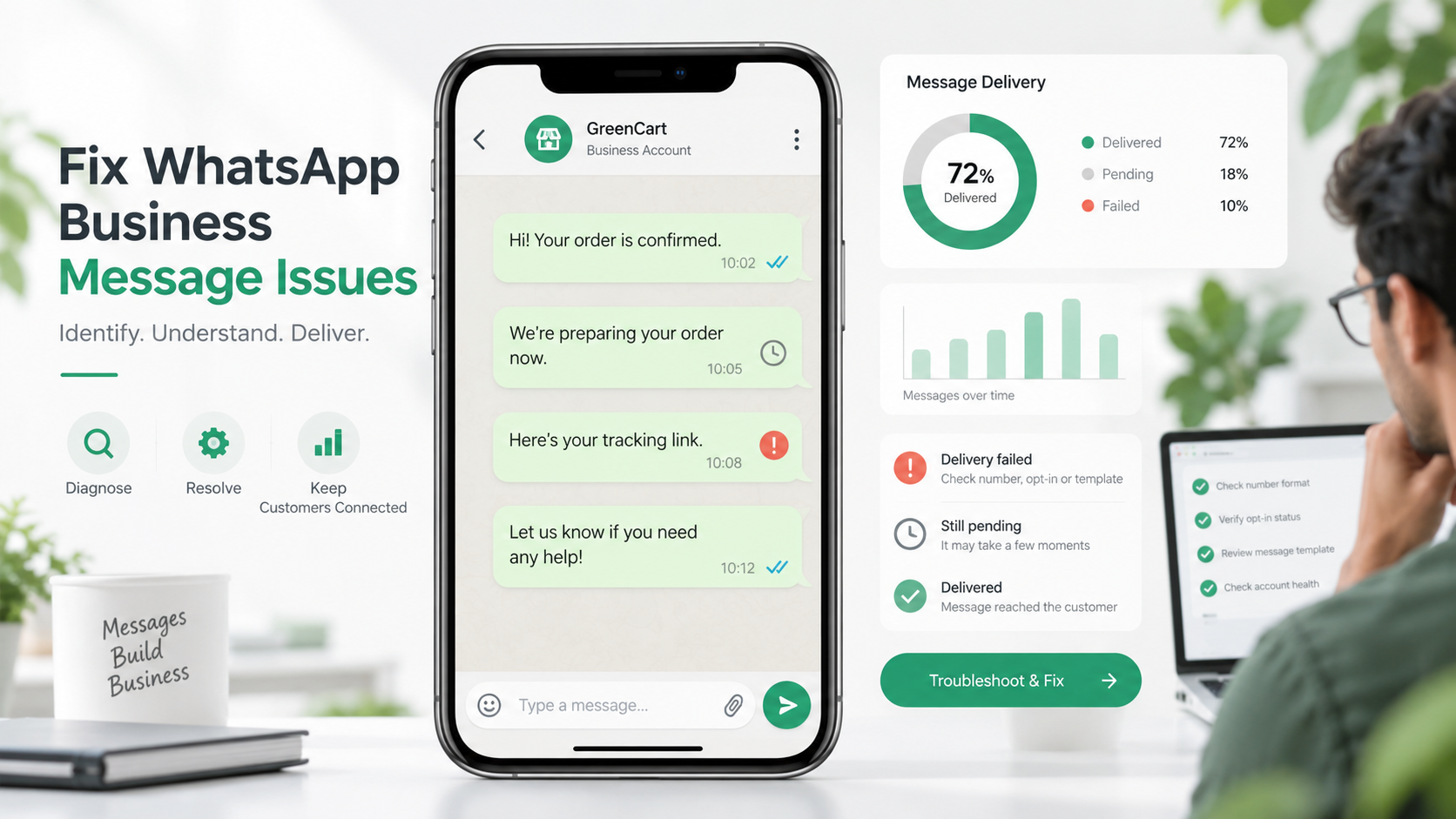
Some messages are delivered. Some are still pending. And some have failed completely.
If WhatsApp is an important part of your sales, marketing, support, appointment reminders, or order updates, failed messages can mean missed enquiries and missed opportunities.
The important thing is this: a WhatsApp message can fail for several different reasons. It isn’t always an API problem.
Let’s look at the most common reasons WhatsApp messages fail to deliver and what you can do about them.
Before troubleshooting anything, understand the difference between sent and delivered.
A message can generally move through different stages:
So if your dashboard shows that a campaign was sent, don’t automatically assume every customer received it.
Always check the final delivery status.
Sometimes the problem is very simple.
The phone number in your contact database may be incorrect, outdated, or incorrectly formatted.
Common issues include:
Keep your contact list clean.
Use the correct international phone number format and regularly remove invalid or outdated contacts.
For example:
Instead of storing the same number in different formats, such as
98765XXXXX
098765XXXXX
+91 98765XXXXX
Standardize your contact data before running campaigns.
This becomes even more important when you’re importing hundreds or thousands of contacts.
If you’re working with spreadsheet-based contact lists, our guide on how to send bulk WhatsApp messages from Excel also explains how to prepare contact data before launching a campaign.
This is one of the most common areas of confusion with the WhatsApp Business Platform.
When a customer sends your business a message, a customer service window opens. During this period, your business can continue the conversation using regular messages.
Once that window closes, business-initiated communication generally needs to use an approved WhatsApp message template.
Suppose a customer messages:
“Hi, can you share your pricing?”
You reply, and the conversation continues.
But if the customer doesn’t send another message and your business tries to send a normal follow-up much later, the messaging rules may be different.
You may need an approved template to restart the conversation.
Make sure your automation or sales process knows whether the conversation window is active.
If the window has closed, use an appropriate approved template instead of trying to send a normal message.
You can read our detailed guide on WhatsApp message templates to understand template types, approval, and common use cases.
Using a message template doesn’t automatically guarantee successful delivery.
The template itself needs to be available and correctly configured.
Problems can happen if:
Before launching a large campaign, test your template.
Check:
Wonestop’s WhatsApp Template Management feature helps businesses create, organize, preview, and manage templates from one place.
A small test before sending to 10,000 contacts can save a much bigger problem later.
Having someone’s mobile number does not automatically mean they should receive WhatsApp marketing messages from your business.
Businesses should collect the required permission before sending business messages and respect users who don’t want to receive further communication.
This isn’t only about following WhatsApp’s rules.
It also affects customer experience.
Imagine receiving promotional WhatsApp messages from a company you’ve never heard of.
Your first reaction probably won’t be:
“Great offer!”
It will probably be:
“Where did they get my number?”
That often leads to ignored messages, blocks, and reports.
Collect WhatsApp opt-ins through genuine customer touchpoints such as:
Make it clear what the user is signing up for.
A smaller permission-based contact list is usually much more useful than a huge random database.
One of the biggest mistakes businesses make is treating WhatsApp like an unlimited promotional channel.
They send every offer to every customer.
Again.
And again.
And again.
But customers don’t want every update from your business.
Someone who asked about one product six months ago probably doesn’t need three promotions every week.
WhatsApp also has systems designed to reduce unwanted marketing communication and protect users from excessive messaging.
Focus on relevance instead of volume.
Segment your customers into useful groups such as:
Then send campaigns based on what is actually relevant to each group.
Wonestop’s WhatsApp Broadcast tools let businesses organize contacts using lists, tags, and customer information before running campaigns.
Instead of:
2,000 contacts → Same offer
Think:
2,000 contacts → Relevant groups → Relevant messages
That simple change can improve the quality of your WhatsApp marketing significantly.
Sometimes the technical setup is completely correct.
The customer simply doesn’t want the message.
If people regularly block your business, report messages, or stop engaging, it can become a serious problem for your WhatsApp messaging activity.
This usually happens when messages are:
Before sending a campaign, ask:
Why would this customer care about this message?
For example, instead of:
“BIG SALE! 30% OFF. BUY NOW!”
You could send something more relevant:
“Hi Rahul, the shoes you checked last week are back in stock. Want to see the available sizes?”
The second message has context.
It feels like a conversation instead of an advertisement.
Not every failure comes from the customer or the template.
Sometimes there is a technical issue in the integration.
Possible causes can include:
Don’t just look at:
Message Failed
Look at the actual error information.
The specific error details can help you understand whether the problem came from the recipient, template, API request, or another part of the setup.
If your business sends automated reminders, lead follow-ups, order updates or customer notifications, it is also worth checking the logic behind your workflows.
Wonestop’s WhatsApp Automation feature can be used to create trigger-based customer journeys for enquiries, follow-ups, reminders, and other recurring communication.
If your WhatsApp messages suddenly stop delivering, don’t randomly resend everything.
Use this quick checklist:
| Check | What to Look For |
| Phone number | Correct number and country code |
| Message status | Sent, delivered, or failed |
| 24-hour window | Is the customer service window still active? |
| Template | Is it approved and available? |
| Variables | Are all required values correct? |
| Audience | Did customers actually opt in? |
| Frequency | Are you sending too many messages? |
| Error details | What does the actual API error say? |
Start with the error.
Then fix the cause.
Simply sending the same failed message again may not solve anything.
There is no way to guarantee that every WhatsApp message will always be delivered.
But businesses can reduce avoidable failures.
Remove invalid and outdated phone numbers.
Especially when messaging customers outside an active conversation.
Don’t send every campaign to every contact.
Make sure customers know why they are receiving WhatsApp communication.
More messages don’t automatically mean more sales.
Check your template, links, variables and audience before launching.
Don’t measure your campaign only by how many messages you attempted to send.
Look at what was actually delivered and how customers responded.
As WhatsApp communication grows, managing contacts, templates, broadcasts, automation and customer conversations separately can become difficult.
Wonestop brings these activities together on a platform built around the official WhatsApp Business Platform.
Businesses can use Wonestop for:
The idea isn’t to simply send more WhatsApp messages.
It is to make messaging easier to manage, more relevant to customers and easier to track.
When WhatsApp messages fail to deliver, don’t immediately assume something is wrong with the entire platform.
Check the basics first.
Is the number correct?
Is the conversation window active?
Is the template approved?
Are the variables correct?
Did the customer opt in?
Are you sending too frequently?
And most importantly, what does the actual delivery error tell you?
Good WhatsApp communication isn’t about sending the maximum number of messages.
It’s about reaching the right customer with the right message at the right time.
If managing broadcasts, templates, contacts, and automation is becoming difficult, explore Wonestop’s WhatsApp platform to see how you can manage customer communication from one place.
Want to see how Wonestop works for your business? Book a demo and start building better WhatsApp conversations.
A sent message has been processed for sending, but it may not have reached the recipient yet. Issues with the phone number, recipient availability, templates, messaging rules or API configuration can affect final delivery.
Book a quick demo and we'll get your business live on the official WhatsApp Business API — fast.